
Track Payments Across Every Sales Workflow

Monitor customer payments, invoice status, outstanding balances and adjustments from one connected sales-to-cash workflow.

Trusted Compliance Coverage

Payment Gaps Create Revenue Confusion

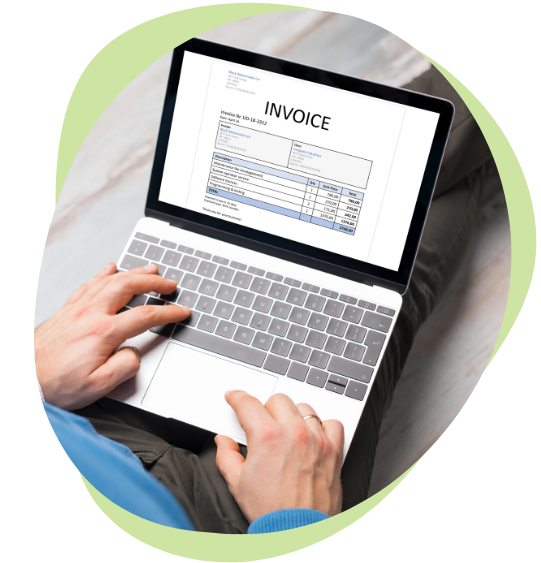
A sale is not complete when the invoice is sent. It is complete when payment is received, recorded and matched correctly. When payment tracking depends on spreadsheets, email updates or separate banking records, teams lose visibility into overdue invoices, partial payments, customer balances and refund activity. This creates confusion between sales, finance and operations. AassureComply gives teams a clearer way to track payment movement and reduce follow-up gaps.

three img

Tools For Clearer Payment Visibility

AassureComply helps teams understand payment status without chasing scattered records.

Invoice Payment Status

Track whether invoices are unpaid, partially paid, fully paid, overdue or under review.

Customer Balance View

See outstanding amounts, payment history, credits, refunds and adjustments by customer.

Partial Payment Tracking

Record and monitor payments made in parts without losing invoice-level clarity.

Payment Follow-Up

Identify overdue invoices and pending collections before they affect cash flow.

Audit History

Keep payment updates, user actions, notes and linked records easier to review.

Built For Teams Managing Cash Follow-Up

AassureComply keeps payment tracking useful for every team involved in revenue and collections.

Other PEPPOL Markets

Add supported countries after coverage is verified by product and compliance teams.

Country Coverage Areas

For SMEs

Move away from manual payment follow-up and disconnected cash tracking.

For Sales Teams

See which customer invoices are paid, pending, overdue or affected by adjustments.

For Finance Teams

Track receipts, balances, partial payments and customer account activity more clearly.

For Operations Teams

Understand payment status before fulfilment, delivery, renewal or service continuation.

For Managers

Review overdue amounts, customer balances and payment delays before they grow.

From Invoice Issued To Payment Closed

AassureComply helps businesses follow the full payment journey with better control.

B2G Use Cases

Step 1: Issue The Invoice

Create or connect the invoice with customer, product, service, tax and payment details.

Step 2: Track Payment Status

Monitor whether the customer has paid, partially paid or left the invoice overdue.

Step 3: Record Payment Activity

Capture receipts, references, payment dates, methods and related customer notes.

Step 4: Review Adjustments

Link credits, debit notes, refunds or corrections to the original invoice.

Step 5: Close The Record

Keep payment history, balances and supporting records available for review.

Home Image 3 2

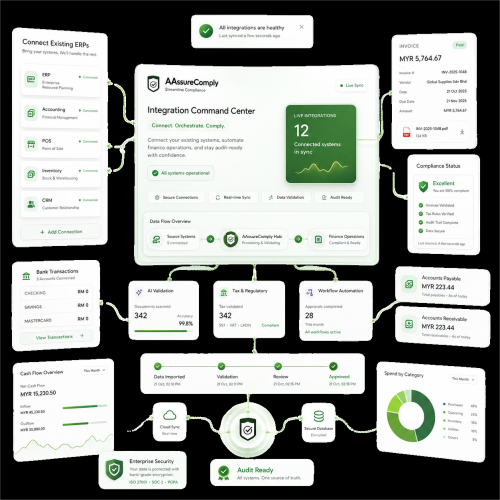
Connect Payments With Sales And Accounting

Connected Workflow Areas

Integration Areas

7
4
5
8
3
1
2
6

Plans That Keep Cash Movement Visible

Start with payment status control, then scale into overdue tracking, partial payments, refund links, customer balances and reconciliation-ready payment records.

Untitled design 2024 12 30T161850.682

Frequently Asked Questions

What is payment tracking software?

Payment tracking software helps businesses monitor customer payments, invoice status, outstanding balances, partial payments, overdue invoices and related adjustments. It gives sales and finance teams clearer visibility into what has been paid and what still needs follow-up.

How does invoice payment tracking help businesses?

Invoice payment tracking helps teams see whether invoices are unpaid, partially paid, overdue or fully settled. This reduces manual follow-up and improves visibility across customer accounts, collections and cash flow.

Can AassureComply track partial payments?

Yes. AassureComply can support partial payment tracking by linking multiple payments to the same invoice or customer account. This helps finance teams keep balances, receipts and payment history easier to review.

Does payment tracking connect with refunds and credit notes?

Yes. Payment tracking can connect with credit notes, debit notes, refunds and invoice adjustments. This gives teams a clearer view of the full customer transaction history instead of looking at payments separately.

Is this useful for SMEs?

Yes. SMEs can use AassureComply to move away from manual payment follow-up and spreadsheet-based tracking. It helps teams monitor invoice payments, overdue balances, customer history and cash activity more efficiently.